Tech
Adobe Acrobat online vs free browser PDF tools: honest comparison
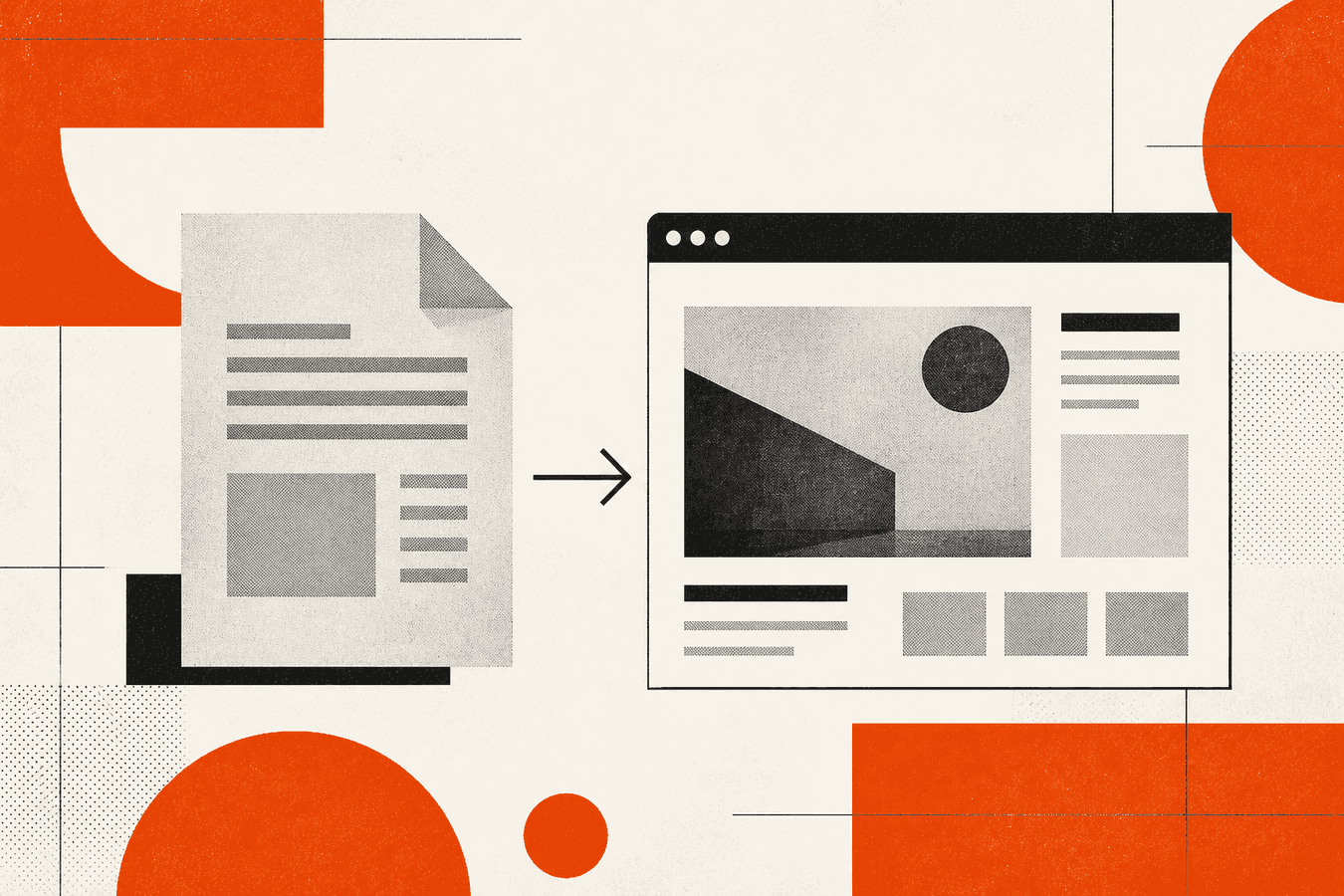
Adobe Acrobat online is the default name when someone says “official PDF tool.” Free browser PDF sites handle the same small jobs without a Creative Cloud login: merge a few files, shrink a scan for email, split a chapter. Acrobat online wins on brand trust, Acrobat-specific editing, and tight ties to desktop Acrobat when you already pay for it. Browser tools win on speed, no subscription gate, and doing one task without opening a full editor. This comparison stays honest. Adobe is better when you need their editor features or enterprise policy already standardizes on Acrobat. A free browser path is better when you need merge or compress once on a machine where you cannot install software. Toolsy offers merge and compress in the browser; it is not a replacement for Acrobat Pro desktop.
Why people compare Acrobat online and free browser tools
Search traffic around “adobe acrobat online” mixes three intents. Some people want Adobe’s own web app because IT told them to. Some hit a paywall after the first task and look for “merge pdf online free.” Others need compress or combine before a deadline and will take whichever tab loads first.
The comparison is not about which logo is nicer. It is about whether you need Acrobat’s editing depth or only a file operation on a PDF you already have. Merge and compress are commodity jobs. Form filling, redaction, certified signatures, and comment workflows are not. If your task is “make these three PDFs one file” or “get this under 10 MB for Gmail,” a browser tool often finishes in under a minute.
Wrong picks waste time. You sign into Acrobat, hunt for merge, and discover your account tier limits batch size. Or you upload a confidential draft to a random free site with unclear retention. Name the job first, then pick the category.
For security before any upload, see is it safe to upload documents online. For email size context after compress, see compress PDF for email attachments.
What Adobe Acrobat online does well
Adobe’s online PDF tools sit inside the Acrobat web experience most people reach through acrobat.adobe.com or linked “online PDF” flows. Adobe is strong when the file must stay in Adobe’s ecosystem: open in Acrobat desktop, continue editing, apply Acrobat-specific comments, or route through Document Cloud storage you already pay for.
Brand recognition matters in regulated shops. Legal and finance teams sometimes prefer a vendor name on the invoice even for simple merges. Adobe also markets a wide converter surface: PDF to Word, JPG to PDF, and related flows that show up in related searches like “adobe acrobat online pdf converter.”
Adobe’s desktop Acrobat Pro still leads for heavy editing. The online layer is a convenience path, not a full clone of Pro. Expect feature gaps versus installed Acrobat on long documents, batch automation, and advanced preflight.
Merge and combine in Acrobat online
Adobe exposes merge under online PDF tools with naming like “combine files” or “merge PDF.” Flow is familiar: upload, reorder, download. Quality is generally solid for digital PDFs with intact text layers.
Friction shows up in accounts and limits. Free tiers and trial states change over time; check Adobe’s current page rather than trusting a blog snapshot. Some tasks push you toward sign-in or a paid plan where a browser merge site would finish anonymously.
If you merge weekly inside an Adobe subscription you already fund, staying in Adobe reduces context switching. If you merge twice a year, signing in may cost more time than the merge saves.
Compress and optimize in Acrobat online
Adobe lists online compress alongside other PDF utilities. Compression targets email and web sharing, similar to free browser compressors. Adobe’s output is usually predictable on text-heavy PDFs.
Adobe compress searches often overlap “adobe acrobat online compressor free.” Free in Adobe’s language may still mean account creation or usage caps. Browser alternatives publish simpler quotas: file size ceiling and daily operation count.
When photos inside the PDF drive size, compress helps but may not hit a strict megabyte target. You may need to re-embed images or split pages. See why a PDF stays huge after compression when shrink barely moves the needle.
Where free browser PDF tools fit
Free browser PDF tools optimize for one job per page: merge, compress, split, rotate. No install, no Creative Cloud. You upload, wait, download. Toolsy Merge PDF accepts up to 20 files at 25 MB each on the free tier, with a daily cap on PDF operations. Compress PDF takes one file up to 25 MB with screen, ebook, and printer presets.
That shape fits contractors, students, and office workers who hit a PDF task twice a month. You do not build a workflow around the tool. You finish the task and close the tab.
Browser tools also spread risk when Adobe login fails on a shared computer. A merge-only site with clear retention policy may beat fighting password managers on a kiosk.
Merge PDF online without Acrobat
“Merge pdf online free” and “how to combine pdf files without acrobat” point here. Upload order matters: tax year sequence, appendix after main body, signed page last. Reorder in the UI before download.
Check page count on the result. A blank separator page from a bad export sometimes slips in. Open the merged PDF and scroll once before you email it.
Password-protected inputs must be unlocked first. Neither Adobe nor typical browser merge tools break encryption for you. Export an unlocked copy from the source app if policy allows.
Compress PDF online without a subscription
“Compress pdf online free” is a crowded SERP. Presets trade size against readability. Screen mode shrinks more; printer mode keeps type sharper. Start with ebook or screen for email attachments.
Toolsy free tier allows five PDF operations per day across merge, compress, split, and related PDF tools. Pro removes the daily cap. Files are used to produce the download and are designed to be discarded after processing.
If compress still leaves the file over Gmail’s limit, split with Split PDF or link to cloud storage instead of attaching. Compress PDF for email attachments walks provider caps in depth.
Feature matrix: Acrobat online vs browser PDF tools
Use this table as a category guide, not a scorecard. Adobe changes packaging; browser sites differ on retention and caps.
| Need | Adobe Acrobat online | Free browser tools (e.g. Toolsy) |
|---|---|---|
| Brand / enterprise vendor | Strong fit | Depends on policy |
| Merge several PDFs | Yes, with account friction | Yes; reorder in browser |
| Compress for email | Yes | Yes; preset-based |
| Full PDF editor (text, redact) | Partial vs desktop Pro | No; use editor class tool |
| No sign-in for one-off job | Often no | Usually yes |
| Markdown / OCR / AI ingest | Not the focus | Toolsy adds Markdown + OCR elsewhere |
| Batch automation | Limited online | Daily quotas; API on some products |
| Files stay local | No; Adobe cloud path | No; upload processed server-side |
Adobe wins when you already pay for Acrobat and the task lives next to other Adobe steps. Browser tools win for anonymous, fast merge or compress with transparent limits.
Pricing, accounts, and friction
Adobe Acrobat online pricing ties to Adobe’s subscription stack. Exact free-task counts and trial rules change. When this article was written, many users could reach online tools only after sign-in, and heavy use nudged toward paid plans. Verify on Adobe’s site before you budget.
Browser PDF tools typically use freemium: free daily operations, paid Pro for higher volume. Toolsy Pro removes the daily PDF cap; free users get five PDF operations per day. Neither model is “always unlimited free” for business volume.
Hidden friction matters. Adobe account recovery on a Friday deadline hurts. So does a browser tool that adds watermarks on download. Read the result page once before you trust a new site with client data.
Privacy and where your file goes
Any online PDF path sends bytes to a server unless you use local desktop software. Adobe routes through Adobe Document Cloud infrastructure under Adobe’s terms. Browser tools route through their own hosts.
Before upload, classify the document. Public brochure: low risk. Unreleased contract: higher risk. Toolsy processes uploads for the request and designs them to be discarded soon after. Details: what happens to files after processing and merge PDF online security checklist.
Adobe may fit policy when your org already approved Adobe data processing. A random merge site may not. Compliance teams care about vendor name more than feature parity for simple merges.
When to stay on Adobe vs switch to the browser
Stay on Adobe when your workflow already stores files in Document Cloud, when comments must round-trip with coworkers on Acrobat, or when procurement already pays for seats and training materials assume Adobe.
Switch to a browser tool when you need merge or compress once, when login blocks you, or when you want a single-purpose page without editor clutter. Also switch when you need adjacent jobs Adobe online does not cover well, such as PDF to Markdown for an LLM pipeline. That scenario sits closer to SmallPDF vs Toolsy for PDF and AI docs and iLovePDF alternative with Markdown and OCR.
Run a five-minute test on a non-sensitive sample. Merge the same two files in both places. Compare download size after compress. Pick the path that matches policy and time, not habit alone.
Related PDF jobs on Toolsy
Merge and compress cover many inbox emergencies. Split helps when only one chapter must be sent. Reorder fixes scan order before merge.
Toolsy’s PDF tools share the same free daily quota and 25 MB per-file ceiling on merge inputs. Markdown and OCR live on separate tool pages with their own limits. Do not assume one Pro tier unlocks every product without checking pricing.
If Adobe online fails mid-task, a browser merge or compress tab is a reasonable backup for non-regulated files. Keep the Adobe export if you must return to Document Cloud later.
Frequently asked questions
Is Adobe Acrobat online free?
Adobe publishes free online PDF tasks, but “free” often still requires an Adobe account and may cap how many operations you run before a paid plan message appears. Packaging changes by region and over time. Check Adobe’s current online PDF page rather than assuming unlimited merge and compress without sign-in. For anonymous one-off merges, free browser tools are often faster if policy allows upload.
How do I merge PDF files without Acrobat?
Upload your PDFs to a merge tool in the browser, drag them into the order you need, then download the combined file. Unlock password-protected PDFs in the source app first if you have permission. Open the result and confirm page count before you send it. Toolsy Merge PDF accepts up to 20 files at 25 MB each with a free daily quota on PDF operations.
Is Adobe Acrobat online safe for confidential PDFs?
Adobe processes files under Adobe’s enterprise terms, which many organizations already approved. That does not automatically make every task appropriate for highly confidential data. Classify the document, check your internal policy, and prefer desktop Acrobat or an approved vendor when upload is banned. For general upload hygiene, read is it safe to upload documents online.
What is the difference between Acrobat online and Acrobat desktop?
Desktop Acrobat Pro offers deeper editing, redaction, batch actions, and offline work. Acrobat online focuses on quick convert, merge, compress, and light edit flows in the browser. Heavy legal markup, prepress, or scripted folders still belong on desktop or dedicated software. Online is a convenience layer, not a full replacement.
Can free browser tools replace Adobe for everything?
No. Browser merge and compress sites handle commodity file operations well. They do not replace Acrobat for certified signatures, complex form authoring, redaction workflows, or org-wide Document Cloud governance. They replace Acrobat when your only job is combine or shrink a PDF today and policy allows a short upload.
Why is my PDF still large after Adobe or browser compress?
Compression rewrites images and streams inside the PDF. Scanned pages embedded as high-resolution photos may resist shrink beyond a point. Duplicate fonts, layered exports, and attachments also add weight. Try a stronger preset, remove blank pages, or split the file. Why a PDF stays huge after compression explains the common causes.
Does Adobe Acrobat online require installation?
The online tools run in a browser without installing Acrobat desktop. Some flows prompt you to open the file in desktop Acrobat for advanced steps. If install rights are blocked on your machine, stay in the browser path for merge and compress, or use a browser tool that only returns a download.
Are free PDF tools online trustworthy?
Trust varies by site. Look for clear retention language, HTTPS, and no forced download wrappers that rename your file. Avoid sites that hide watermarks until the last click. Toolsy states that uploads are used for processing and designed to be discarded after the response. Your compliance officer may still prefer Adobe if that vendor is already on the approved list.
Can I compress PDF online free for Gmail attachments?
Yes, if the compressed file lands under Gmail’s attachment limit (about 25 MB per message). Pick a stronger compress preset if the first pass is still too large. Combine compress with splitting when the PDF is long and scan-heavy. Compress PDF for email attachments lists provider caps and preset tradeoffs.
When should I use Adobe instead of Toolsy?
Use Adobe when your organization standardizes on Document Cloud, when you need Acrobat-specific editing or comments, or when procurement already pays for seats. Use Toolsy browser merge or compress when you need a fast free path without Creative Cloud login, or when you also want Markdown conversion and OCR in the same product map. Neither replaces the other for every job; match the tool to the task and policy.
For broader PDF suite comparisons, see SmallPDF vs Toolsy for PDF and AI document workflows and iLovePDF alternative when you need Markdown and OCR.
Merge PDF files in the browser
Upload up to 20 PDFs, reorder, and download one combined file. Free daily quota. Files are processed for the response, then dropped.