
Guides
From shoebox to searchable family archive
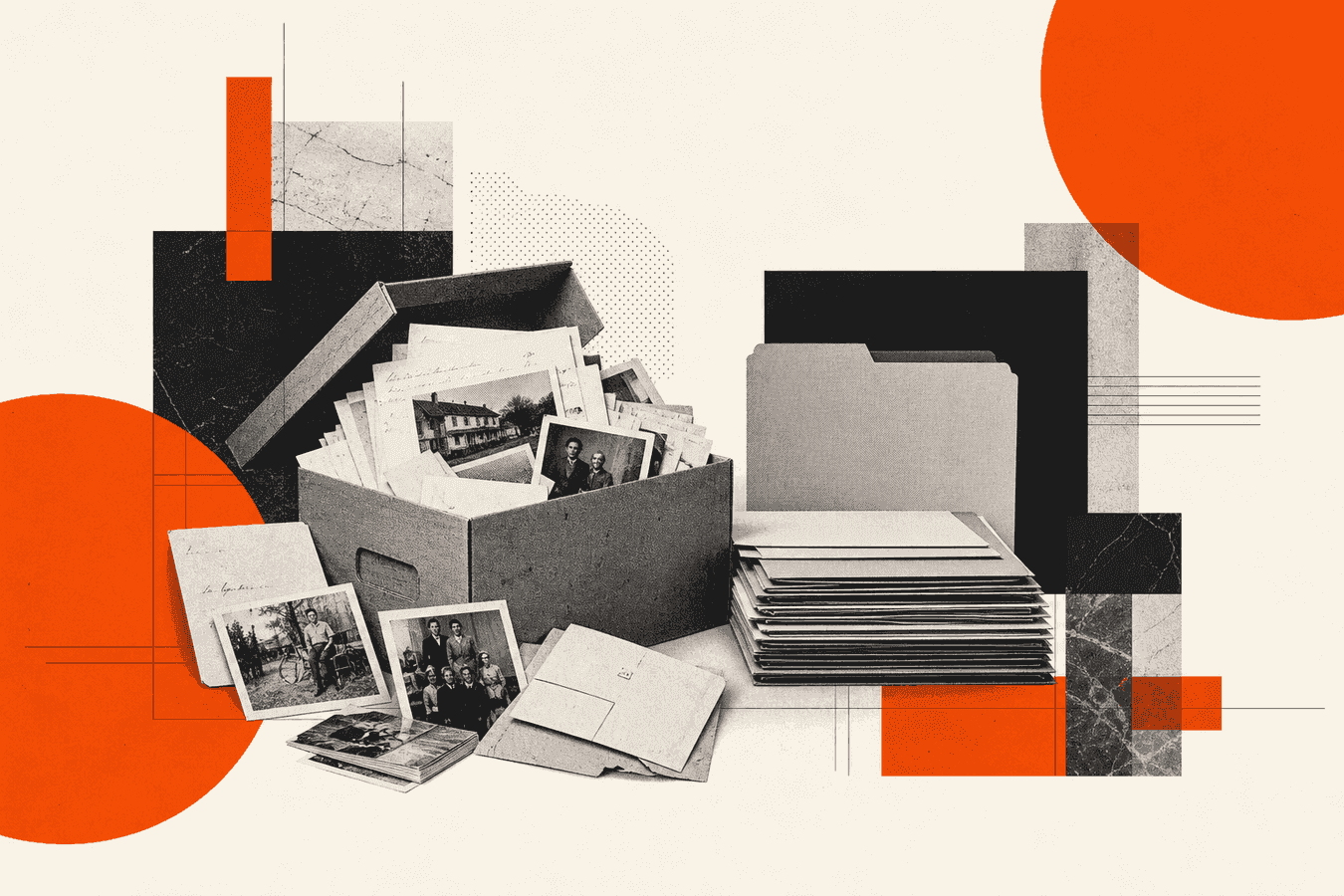
A shoebox full of letters, certificates, and unlabeled prints is a family archive in waiting. Family archive digitization turns that pile into files you can find by name, date, and place. You sort first, photograph or scan one page at a time, run OCR on the hard handwriting, give every file a stable name, and keep short Markdown notes beside the images. Then you decide what stays private: living people’s addresses, medical scraps, and GPS tags on phone photos. This workflow is for household genealogy and family history, not a museum lab. Use Historical Manuscript when a page needs typed text, and keep originals until you have checked names and dates by eye.
Why family papers stay in the shoebox
You inherit a box after a move or a funeral. Inside: wartime letters, report cards, baptism extracts, faded Polaroids, and receipts someone thought mattered. The volume feels bigger than an evening. So the box goes back on a shelf.
Search engines treat “family archive” as a real need, yet most households never finish the job because capture alone is not enough. A folder of camera-roll JPEGs named IMG_4821.jpg is still a shoebox, only glowing. You cannot find Great-Aunt Helen’s 1948 letter without opening every file.
Genealogy research sites hold public records. Your box holds private ones: love letters, adoption notes, debts, illness, addresses of people still alive. Mixing those into a public tree without a privacy pass creates harm. Digitization should make your copy searchable first. Sharing is a later choice.
The fix is a short pipeline you can run in batches. Ten pages a week beats a failed marathon. Sort, shoot, OCR the pages that matter, name, note, then strip location data before any wide share.
Sort before you digitize anything
How to organize family documents starts on the table, not in the cloud. Empty one box onto a clean surface. Make four piles: keep and digitize now, keep but photograph later, return to another relative, discard or shred (duplicates, junk mail, blank envelopes).
Within the “now” pile, group by person or by decade. Person folders map well to genealogy trees. Decade folders help when many people share one surname. Pick one rule and stick to it for the whole box.
Remove staples and paper clips that rust. Leave brittle bindings alone if opening them cracks the paper; those items wait for a careful phone shoot later. Write a one-line inventory on paper or in a notes app: “Box A: Miller letters 1910-1940, about 40 sheets.” That inventory is your progress bar.
What to digitize first
Start with unique items: handwritten letters, unique photos with writing on the back, certificates with no online twin. Skip newspapers that a library already scanned unless the clipping has family markup in the margins.
Photos without captions still deserve a capture pass, but treat backs and envelopes as text sources. A pencil note on the reverse often holds the only date you will get.
What can wait or leave the queue
School lunch menus, bank junk, and blank stationery can wait or go. Magazines belong with ephemera projects, not the core family history archive. If a cousin already scanned a branch, ask for their folder before you re-shoot the same stack.
Photograph or scan without wrecking the originals
You do not need a flatbed for most family papers. A phone on a steady hand, even light, and a flat page covers document digitization at home. For fragile sheets that crack when pressed, follow the care notes in Scanning fragile papers without a flatbed.
Shoot one page per image. Fill the frame, keep edges parallel, tap to focus on the ink. Turn off the flash when it whites out the paper. Daylight from the side beats a ceiling lamp that paints a hotspot. Phone camera habits that help OCR also help you read the image later; see Phone camera tips for better OCR if glare or blur keeps showing up.
Print photographs need the same care. How to scan old photos with a phone: lay each print flat, avoid glare on glossy stock, and capture the reverse if it has handwriting. Digitize family photos in the same batch as related letters so the folder tells one story.
Save masters at the highest reasonable quality your camera allows. Keep a private “masters” folder untouched. Working copies for OCR can be cropped and brightened a touch. Never write on the original to “label” it; label the file instead.
Flatbed versus phone
A flatbed helps thick albums and bound booklets when the spine allows a gentle open. Phones win for speed, travel to a relative’s house, and items that must stay in place. Mixed workflows are fine: flatbed for album pages, phone for loose letters.
If a service offers “digitize documents near you,” use it for film reels or hundreds of fragile sheets you will not finish. For a shoebox of letters, DIY capture plus OCR covers the need.
Batches that fit real evenings
Set a timer for 45 minutes. Aim for a counted set: twenty letters or thirty prints. Stop when the timer ends, even mid-pile. Burnout returns the box to the closet. Log the batch on your inventory line so the next session starts without re-sorting.
Turn hard pages into searchable text
Images alone are not a searchable family archive. You need text you can query for surnames, towns, and ship names. Typed certificates may already be clear enough for a normal OCR or for notes you type by hand. Old cursive and faded ink need a tool built for historical hands.
Upload one clear page to Historical Manuscript. The tool returns typed text you can copy. It keeps original spelling when it can read the hand. Torn or washed-out spots show as [?] instead of a confident wrong guess. That draft is for search and reading, not a finished scholarly edition.
Work page by page. Multi-page PDFs under the size limit can work, but single-page photos fail less often and match how you proofread. After each run, read names, dates, and places against the photo. Fix obvious OCR errors in your notes file while the page is open.
Genealogy clubs and hobbyists often need this path more than a subscription scanning lab. The Genealogy & family archives solution page maps the same job: letters and registry extracts into text you can share inside the family.
Which pages deserve OCR first
Prioritize letters with dense narrative, census extracts with many names, and diary pages you will quote. Skip blank versos and pure landscapes with no caption. If a page is mostly a drawing, OCR will waste a credit; write a short caption yourself.
For a focused letter stack, the sibling guide Digitize family letters for genealogy covers capture and transcription habits in more depth. Use this article’s pipeline for the whole shoebox; use that one when letters are the only pile on the table.
Checking the transcript
Read the first and last lines, every capitalized word, and every number. Dates flip easily (6 vs 8, 1914 vs 1919). Place names with unusual spelling should stay as written; add a modern spelling in brackets in your notes if you need it for search.
When [?] clusters on one corner, reshoot that corner with better light instead of guessing. A second upload beats inventing a surname.
Name files so future-you can find them
Camera filenames erase meaning. Rename before or right after OCR. A durable pattern:
YYYY-MM-DD_surname_given_item_place_seq.jpg
Example: 1948-03-12_miller_helen_letter_cleveland_01.jpg. If the day is unknown, use 1948-03_miller_helen_letter_01.jpg or 1948_miller_helen_letter_01.jpg. Keep the sequence number so multi-page letters stay ordered.
Put images in folders that match your sort rule: /Miller/Helen/ or /1940s/Miller/. Store the OCR text in a matching note: 1948-03-12_miller_helen_letter_cleveland_01.md with the transcript and a short source line (“shoebox A, envelope marked ‘Helen 1948’”).
Organize family photos the same way. Caption unknowns as unknown_group_picnic_c1950_01.jpg rather than leaving IMG_. Later research can rename when a cousin identifies faces.
Markdown notes beside the scans
Plain Markdown keeps transcripts searchable in Obsidian, VS Code, or any folder search. Frontmatter is optional; a heading with the filename and a paste of the OCR text is enough. Tag living people with a private status if you sync notes to a shared drive.
If you already hold typed Word or PDF research summaries from a cousin, Convert to Markdown can turn those into notes that sit next to your OCR files. Keep the image masters separate from the text notes so a bad sync cannot overwrite both.
Backups without losing the plot
Copy the finished folder to two places: an external drive and a cloud account you control. Verify one random file opens after the copy. Do not rely on a single phone roll. Label the backup with the inventory date so you know which shoebox batch it covers.
Privacy for living people and phone metadata
A searchable archive can expose living relatives. Before you share outside a small trusted set, review transcripts for current addresses, phone numbers, Social Security numbers, school names of minors, and medical detail. Redact or keep a private vault folder that never syncs to a public tree.
Phone photos of documents and of people often carry EXIF GPS. If you email or post those images, strip location first. Remove EXIF GPS before sharing kids' photos walks through the habit; Toolsy’s Strip EXIF tool clears classic tags on a downloadable copy.
Uploading a letter photo to an OCR site is still an upload. Read Is it safe to upload documents online? and prefer tools that state how long files remain. Skip cloud OCR for documents you would not put in email. For many family letters, a private local note plus selective OCR on non-sensitive pages is the calm path.
Agree with relatives who may post. One cleaned “share” folder prevents someone from uploading a geotagged original of the homestead door.
Related jobs once the pipeline runs
When a local society collects member scans instead of one family shoebox, board-level intake rules matter as much as capture technique. Genealogy society member upload guidelines for digitized records covers consent, file standards, and volunteer review without repeating this home-archive walkthrough.
When the box is mostly letters, deepen capture and citation habits with Digitize family letters for genealogy. When paper flakes or bindings fight you, switch to Scanning fragile papers without a flatbed before you force a press-flat scan.
Old English hands and archive copies may need more than a quick phone shot; keep Historical Manuscript as the OCR step and verify against the original for any public claim. The Genealogy solution page lists the same tool for hobbyists who want searchable text without building a lab.
Camera quality problems that block OCR belong with the phone tips guide linked above. Privacy questions about retention after processing sit with the upload-safety post. Use those when a single step stalls; return here for the end-to-end order of work.
Limits of a home digitization workflow
DIY family archive digitization will not match a conservation studio. Moldy stacks, nitrate film, and locked court files need specialists. Do not microwave damp paper or “clean” ink with household chemicals.
OCR will misread flourishes, crossed-out lines, and foreign scripts. Treat output as a finding aid. For publication or legal use, hire a paleographer or cite only what you verified.
Huge volumes (thousands of pages) may justify a scanning service for images only, then selective OCR on the pages you research. Cost queries like “how much to digitize documents” belong to vendors; your job is to keep filenames and privacy rules consistent when the disks come back.
If the goal is a public website, publish redacted transcripts and low-resolution images first. Keep full-resolution masters offline. Searchable does not have to mean world-readable.
Frequently asked questions
What is family archive digitization?
Family archive digitization means turning household papers and photos into durable digital files you can find later. You capture images, add searchable text where handwriting blocks reading, and store everything with clear names. The point is access for your family and research, not a museum-grade conservation project on day one.
How do I create a searchable family archive at home?
Sort the papers, photograph one page at a time, run OCR on pages you need to search, rename files with dates and names, and keep short text notes beside the images. Store masters in two places. Search works when the text layer or Markdown notes contain the surnames and places you care about.
How do I digitize paper documents without a scanner?
Use a phone under even light, hold the lens above the center of the page, and shoot one sheet per photo. Flatten the paper, avoid flash glare, and crop to the content. That capture step covers most how-to-digitize-documents needs for letters and certificates before you add OCR.
Should I digitize family photos in the same workflow as letters?
Yes, keep related photos and letters in the same person or decade folder. Capture fronts and any handwritten backs. Digitize family photos with the same naming pattern so a search for a surname surfaces both the letter transcript and the matching print.
Do I need OCR if I already have clear photos?
Photos help you see the page; OCR helps you find it. Without text, you browse thumbnails. With a transcript in a .md file or a text layer, you search “Cleveland 1948” and land on the right sheet. Skip OCR only for images with no writing you will ever query.
Is Historical Manuscript good for genealogy letters?
Yes. Historical Manuscript is built for old handwriting on letters and archive scans. It returns typed text with original spelling when readable and marks unclear spots as [?]. Always check names and dates against the photo before you cite them in a tree.
How should I name digitized family files?
Use date, surname, given name, item type, optional place, and a sequence number. Keep the pattern identical across the whole archive. Avoid spaces-only camera names. Matching image and Markdown basenames make backups and sharing less error-prone.
What privacy steps matter for a family history archive?
Keep living people’s sensitive details out of shared folders. Strip GPS from photos before wide sharing. Choose OCR uploads carefully when a page holds medical or financial data. Decide who may post, and give them cleaned copies only.
When should I hire a digitize-documents service instead?
Hire help for film, huge volumes, or items too fragile to handle in a kitchen session. Ask for delivery as files with clear names, not a dump of scan0001.pdf. You still own the sorting rules, privacy review, and selective OCR after the disks arrive.
How is a searchable PDF different from Markdown notes?
A searchable PDF embeds text in the image file and works well for sharing a single packet. Markdown notes beside image masters stay simple to edit, diff, and search across a whole tree of folders. Many families use images plus .md transcripts at home, then export a PDF only when a relative needs one attachment.
Read old handwriting online
Upload a clear photo of one letter or record page, get typed text you can search and copy. Pro tool for genealogy and family archives.


