
Tech
CloudConvert vs a Markdown pipeline for RAG: when format breadth beats LLM-ready text
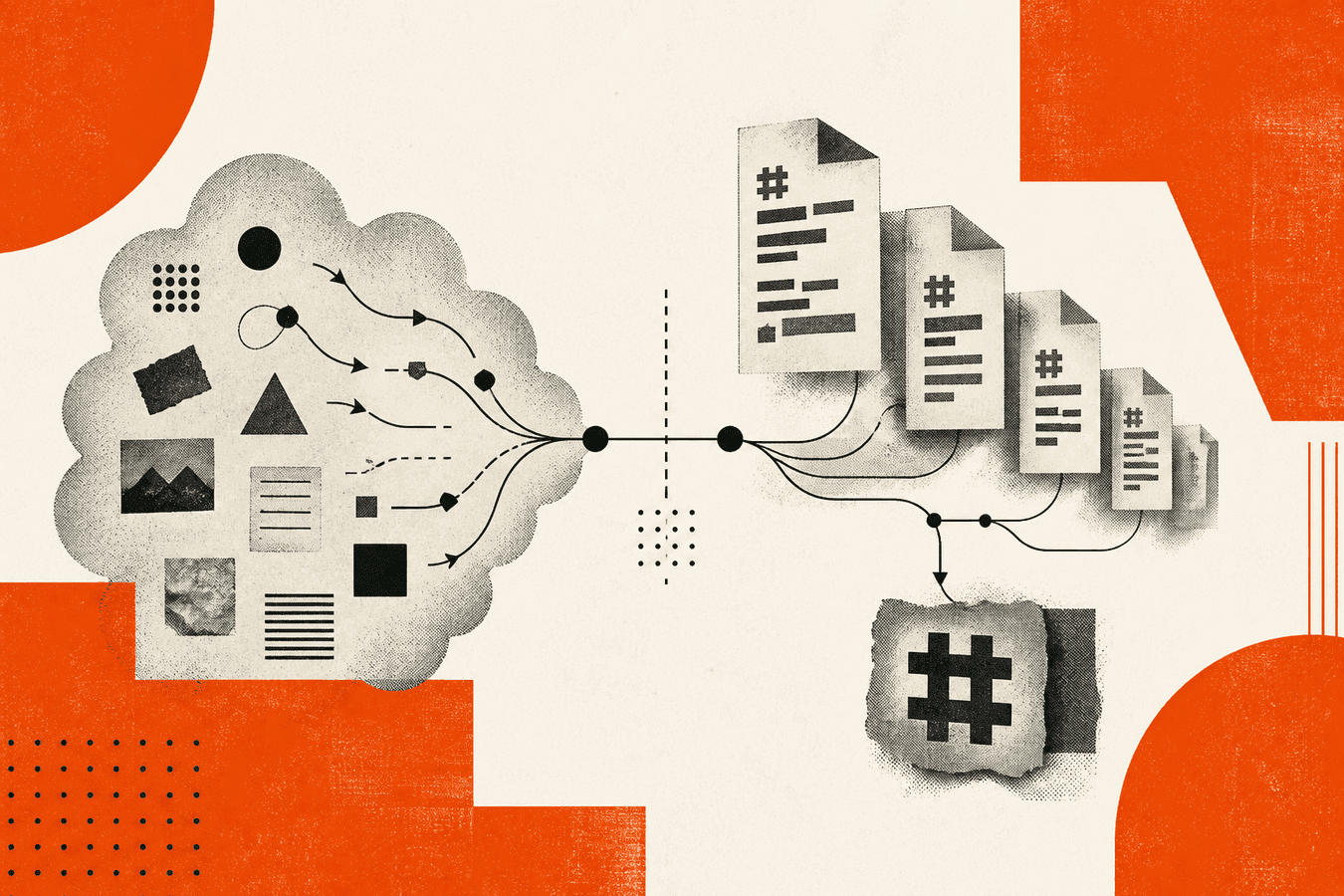
Teams building RAG over company documents often land on CloudConvert first. It converts almost anything to almost anything: video, audio, archives, Office, PDF. That breadth is real value when your pipeline must normalize fifty file types before storage. A Markdown-first pipeline optimizes a different step: text that LLMs chunk cleanly, with headings and lists preserved when the source allows. CloudConvert wins on format coverage and API maturity for generic conversion. A dedicated Markdown path wins when retrieval quality depends on structure, token efficiency, and repeatable .md output for embedding. This article compares those shapes honestly. Toolsy is not CloudConvert; it focuses on Markdown, OCR, and PDF utilities rather than a universal convert matrix.
Why the CloudConvert vs Markdown question shows up for RAG
RAG tutorials mention “convert documents to text” and “clean your corpus.” Engineers search “cloudconvert alternative” when quotas, pricing, or policy block the default tab. Data teams search “pdf to markdown converter” when embeddings on raw PDF bytes underperform.
The two tools answer different primary questions. CloudConvert asks: “What output format do you need?” A Markdown pipeline asks: “What text shape will the retriever and model read best?” If you only need MP4 to MP3, Markdown pipelines are irrelevant. If you ingest policy PDFs into Pinecone or a local vector store, conversion to structured text matters more than supporting two hundred MIME types.
Wrong tooling shows up late. You batch-convert PDFs to DOCX through a generic API, then write a second script to strip formatting. Or you Markdown-convert slide decks that were never meant to be chunked as prose. Name the corpus and the downstream loader before you pick.
For ingestion order of work, see prepare documents for RAG with Markdown. For why models prefer the format, see why LLMs prefer Markdown over PDF.
What CloudConvert is built for
CloudConvert is a general-purpose online file converter with a long format list and a developer API. Upload a file, pick input and output formats, download the result. Paid tiers raise concurrency and volume; a free tier exists with limits that change on their pricing page.
Strengths are breadth and predictability for media and office transforms. Teams already using CloudConvert for video transcoding or image conversion often add document jobs to the same API key. Webhooks and cloud storage integrations fit ETL that is format-centric rather than text-structure-centric.
CloudConvert is weaker as an opinionated “LLM ingestion” layer. PDF to DOCX or PDF to TXT may help, but headings, tables, and list nesting vary by route. You still own cleanup before chunking. Related searches like “is cloudconvert free” and “is cloudconvert safe” reflect cost and upload trust, not Markdown quality.
Generic conversion API shape
Typical automation: store files in S3, POST to CloudConvert, poll or webhook, write output to another bucket. You choose output format per job type. That pattern scales when formats differ wildly across departments.
The API shines when the same worker handles unrelated transforms. Marketing sends MOV; finance sends XLSX; legal sends PDF. One vendor reduces integration surface.
For PDF-to-text RAG, generic TXT or DOCX output is a starting point, not the finish line. Budget engineer time for heading repair, table handling, and deduplication before embed.
Where CloudConvert beats a Markdown-only path
Pick CloudConvert when non-text formats dominate: audio extraction, video transcode, image resize, archive unpack, or rare extensions your Markdown stack does not accept. Also pick it when compliance already approved CloudConvert and adding a second vendor requires review.
CloudConvert also fits when downstream systems require a specific binary format (PDF/A, EPUB, PNG thumbnails) rather than plain text for embeddings.
What a Markdown-first pipeline adds
A Markdown pipeline optimizes for .md output: headings with # levels, lists, basic tables, and readable plain text. Toolsy Convert to Markdown and PDF to Markdown sit in the MarkItDown workflow family for supported uploads. Free tier: daily file quota and about 5 MB per file; Pro raises limits.
Markdown helps RAG because chunkers can split on headings, token counts shrink versus bloated PDF markup, and humans can spot bad conversion in git diff. Models see structure cues that survive embedding better than page coordinates.
A pipeline here means more than one click. It is convert, spot-check, fix headings, chunk, embed, and version. The converter is step one. PDF to Markdown step by step covers manual QA that automation skips.
Headings, lists, and chunk boundaries
Good Markdown gives you natural section boundaries. # Policy overview and ## Eligibility become split points for recursive chunkers. Flat TXT dumps force arbitrary character windows that cut mid-sentence.
Lists and tables still break on hard PDFs. Scanned pages need OCR before Markdown means anything. Toolsy offers OCR on separate tool paths; do not assume one Markdown upload fixes a blurry scan.
Compare output on three representative files before you batch a thousand pages. Record which doc types need manual templates.
RAG prep beyond the convert button
After download, run dedup on boilerplate headers and footers. Normalize encoding UTF-8. Store .md in the same object prefix your indexer reads.
Link converted files to source IDs so citations trace back to PDF page or SharePoint URL. Markdown makes that metadata adjacent in front matter if you add YAML by hand or script.
For local-only corpora, pair Markdown export with building a knowledge base for local AI from documents. CloudConvert can still feed the pipeline if you convert to an intermediate format first, but that adds steps.
CloudConvert vs Markdown pipeline: decision table
| Need | CloudConvert | Markdown-first pipeline (e.g. Toolsy) |
|---|---|---|
| Video / audio / image convert | Strong | Out of scope |
| PDF to LLM-ready text | Possible via TXT/DOCX | Strong fit via .md |
| Heading-aware chunking | Requires cleanup | Native when convert quality holds |
| Two hundred format pairs | Core product | Narrower input set |
| One API for mixed media ETL | Strong | Use separate tools per class |
| Browser trial without API key | Yes | Yes on Toolsy convert pages |
| OCR on scans | Depends on route | OCR tools separate; Markdown on text PDFs |
Neither row wins universally. Hybrid stacks are common: CloudConvert normalizes exotic inputs; Markdown tools finish text docs for RAG.
When CloudConvert is the better fit
Choose CloudConvert when format diversity is the bottleneck, when you already pay for API volume there, or when legal approved that vendor for all convert jobs. Media workflows, thumbnail generation, and archive extraction belong here.
Also choose CloudConvert when downstream requires non-text binaries. Your RAG stack might only ingest text, but other departments still need the same vendor for MP4 and HEIC.
If Markdown quality from a generic PDF-to-TXT route is good enough after a short script, CloudConvert plus cleanup can beat adding vendors. Measure on your files rather than ideology.
When a Markdown pipeline is the better fit
Choose Markdown-first when embeddings run on policy PDFs, handbooks, and DOCX exports weekly. Choose it when engineers want git-friendly diffs on converted text. Choose it when ChatGPT PDF upload vs Markdown-first debates already pushed your team away from raw PDF in prompts.
Browser Markdown tools fit trials and small batches. CLI MarkItDown fits private networks; see MarkItDown CLI vs browser converter. Dedicated comparators like pdf2md.net vs a full document converter suite sit adjacent when you evaluate Markdown-only startups versus suites.
Automation at scale may use PDF to Markdown API for developers on Toolsy rather than screen-scraping a generic convert UI.
Privacy, quotas, and automation
CloudConvert uploads leave your network to their infrastructure under their terms. “Is cloudconvert safe” is a policy question: classify data before any third-party convert.
Toolsy processes uploads for the conversion response and designs them to be discarded after. Regulated corpora may still require on-prem CLI MarkItDown or Marker instead of upload. Read is it safe to upload documents online before you batch HR PDFs.
Free tiers on both sides cap daily jobs and file size. CloudConvert free limits and Toolsy free Markdown quota differ; check live pricing pages before production load tests. Pro tiers on Toolsy raise Markdown daily limits; CloudConvert paid plans raise API concurrency.
Frequently asked questions
What is a good CloudConvert alternative for document RAG?
For RAG text ingestion, alternatives include a Markdown-first converter (Toolsy Convert to Markdown), Microsoft MarkItDown on-premises, Marker for hard PDFs, and dedicated pdf-to-markdown services. CloudConvert remains strong if you still need non-document formats in the same API. Pick based on whether your bottleneck is format breadth or chunk-ready text structure.
Can CloudConvert convert PDF to Markdown?
CloudConvert’s format matrix changes over time. Some teams route PDF to TXT or DOCX through CloudConvert, then convert or clean to Markdown manually. That can work but adds steps and may lose heading levels. A direct PDF to Markdown tool targets LLM pipelines in one pass. Test your worst PDF on both paths before you commit.
Is CloudConvert free?
CloudConvert offers a free tier with daily conversion minutes and file size limits that vary by plan. Heavy RAG batch jobs typically need a paid subscription. Verify current limits on CloudConvert’s pricing page rather than assuming unlimited API access. Budget for egress and storage if outputs land in your bucket.
Is CloudConvert safe for confidential documents?
CloudConvert is a reputable vendor, but upload still sends files to their servers. Your security team may approve or block that per data class. Prefer on-prem conversion for secrets, or use vendors explicitly on your allow list. Same rule applies to any browser Markdown tool including Toolsy.
Why use Markdown instead of PDF for RAG?
Markdown reduces tokens, exposes headings for chunking, and diffs cleanly in version control. PDF keeps layout but hides structure from naive text extractors. Models and embedders generally perform better on clean Markdown when the conversion preserves sections. See why LLMs prefer Markdown over PDF for the full argument.
How does pdf to markdown converter volume compare to cloudconvert alternative?
US search volume for “pdf to markdown converter” is much higher than “cloudconvert alternative,” reflecting different intent. The first is format-specific ingestion; the second is vendor shopping for generic convert. Your project may need both searches at different phases: CloudConvert for media normalize, Markdown for text corpus.
Can I automate Markdown conversion like CloudConvert API?
Yes. Toolsy documents API patterns in PDF to Markdown API for developers. CloudConvert’s API remains the default for multi-format jobs. Some teams run MarkItDown CLI in Docker for private batch convert without a SaaS API.
Does Toolsy replace CloudConvert entirely?
No. Toolsy does not aim to convert every audio, video, and archive pairing CloudConvert lists. Toolsy focuses on Markdown, OCR, PDF operations, QR, and related utilities in one product map. Use CloudConvert where format breadth wins; use Toolsy where Markdown and companion doc tools win.
What file size limits apply to Markdown conversion on Toolsy?
Free Markdown uploads are capped around 5 MB per file with a daily file quota; Pro raises those limits. CloudConvert limits depend on plan and format. Large scanned PDFs may need split or local CLI processing before online convert.
Should I convert to DOCX or Markdown for my vector store?
If your chunker and embedder consume plain text, Markdown is usually less cleanup than DOCX, which carries XML noise when naively stripped. DOCX helps when humans must edit in Word after convert. For RAG, Markdown is the common default unless your loader requires another format.
For Markdown depth, continue with pdf2md.net vs a full document converter suite and MarkItDown CLI vs browser converter.
Convert a document to Markdown
Upload a supported file and download clean Markdown for notes or RAG. Up to 5 MB on free tier. Processed for the response, then dropped.


