Guides
Read old handwriting in English archives
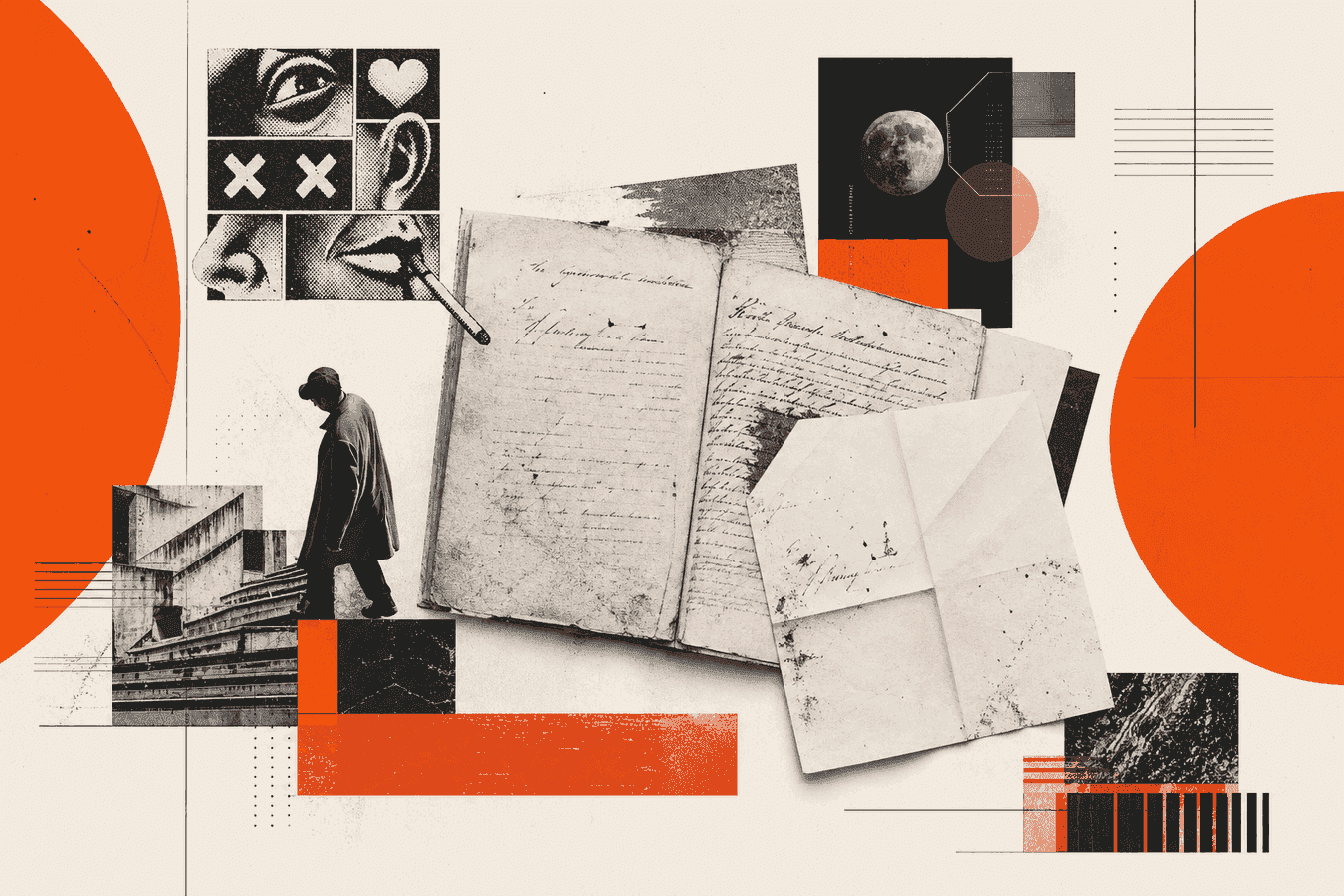
English archive pages often look familiar until you try to copy a name. Secretary hand, Victorian loops, cramped colonial margins, and faded ink sit between you and a usable note. Old handwriting transcription for those records starts with the right photo or scan, a careful first draft, and a human pass on every surname and date. This guide covers common English scripts, what you can sort by eye, how to prep a page, and when to run a Pro pass in Historical Manuscript OCR. Keep spelling as written. Mark gaps instead of guessing. Treat the typed output as a search aid, not a finished citation.
Why English archive handwriting fights you
Archive clerks and letter writers trained under different hands than modern school cursive. Letterforms that look like “f” may be a long “s.” A terminal “e” can close into a loop that reads as “o.” You meet abbreviations that made sense in a parish register and look like noise in a phone photo.
Ink fades. Paper browns. Binding gutters hide line ends. Microfilm scans add grain and uneven contrast. Your eye fills gaps from context; software does not. That is why a page you half-understand still produces wrong OCR until the capture is sharp and high-contrast.
English-language collections add another twist: the language is English, but the script may be Elizabethan secretary hand, later italic, Spencerian business hand, or a mix on the same sheet. You are not failing at reading. You are meeting a skill that paleographers spend years on. OCR can draft the easy lines; you still own the hard ones.
Start by naming the problem. Is the block faded, abbreviated, or simply a script you have never practiced? Each failure mode needs a different fix: better light, an alphabet chart, or a second pair of eyes.
Script types you meet in English records
You do not need a full paleography course to start. You do need a rough label for the page so you know when to slow down.
Secretary hand and early modern clerks
Secretary hand shows up in sixteenth- and seventeenth-century English documents: court papers, wills, deeds, and many parish entries. Shapes diverge from modern cursive. Capitals and abbreviations crowd the line. Search volume for “secretary hand” is real because researchers hit that wall often.
Keep a secretary hand alphabet chart open while you work. Match letter by letter for surnames before you trust a full-line OCR pass. If half the page is secretary hand and half is a later italic note, crop each block and process them separately.
Victorian cursive and later family letters
Nineteenth-century letters and diaries often use looping cursive you half-recognize. Flourishes, crossed t’s that float, and closed “a/o” pairs still trip OCR. “Old cursive handwriting” searches cluster here: people can see it is English and still cannot parse a name.
For these pages, modern handwriting OCR sometimes works after a clean photo. Prefer the historical manuscript path when ink is brown, paper is stained, or spelling should stay period-accurate rather than auto-corrected.
Colonial and mixed hands
Colonial American and British colonial records borrow English clerical habits and local quirks. Ink quality varies. Paper may be thin with show-through from the reverse. Treat each leaf as its own job: one page, one crop, one draft.
If a later hand annotated an older deed in the margin, transcribe the main body first. Add the margin as a second pass so the two voices do not blend into one false sentence.
What you can try by eye before you upload
OCR helps most after you have already done a few human minutes. Read for structure first: date line, salutation, closing, signature. Those anchors tell you which words must be names and places.
Compare repeated shapes. The same capital “T” on three lines is a better clue than any single flourish. Write a short key on scrap paper: “this loop = e,” “this slash = t.” Update the key as you go.
Use context from the collection. A parish register around 1820 will repeat baptism, marriage, and burial formulas. A business letter will repeat “received,” “account,” and place names you already know from the folder label. Context cuts false OCR guesses on common words so you can spend attention on surnames.
When a stretch stays opaque, leave it. Mark the spot. Do not invent letters to “finish” the sentence. A honest gap beats a confident wrong grandfather in a family tree.
Prepare the scan or photo for transcription
Capture quality decides most of the draft. Prefer a flat, high-contrast scan when the archive allows it. If you only have a phone, stand square to the page, fill the frame, and use even light without flash glare. More technique lives in Phone camera tips for better OCR.
Shoot or export one page at a time. Multi-page PDFs over the size limit fail or blur after compression. Toolsy Historical Manuscript OCR accepts JPG, PNG, WebP, GIF, and PDF up to 8 MB. If the file is huge, compress gently without wiping ink detail.
Name files with collection, box, and folio when you keep a private archive. If you later share the photo itself, strip location metadata first; see Remove EXIF GPS before sharing kids' photos for the same strip habit on any personal scan.
Contrast, crop, and orientation
Crop to the text block. Desk edges, ruler shadows, and black microfilm borders waste pixels. Rotate so lines are upright before upload. Slight trapezoid warp from a phone angle stretches letter shapes; reshoot square when you can.
Raise contrast only enough that brown ink stays dark against the paper. Over-bleach turns light strokes into white voids. If show-through from the reverse side appears, place a dark sheet behind the leaf when you still hold the physical page, or crop so the densest ghosting sits outside the frame.
Fragile paper and bound volumes
For sheets you cannot press flat, do not crack the spine or force a fold. Capture tips for brittle paper sit in Scanning fragile papers without a flatbed. Bound volumes often need two shots (left leaf, right leaf) rather than one curved gutter image.
Ask the reading room about photography rules before you shoot. Some collections allow phone photos without flash; others sell staff scans. Follow the house rule even when OCR would be faster with your own file.
Run a draft in Historical Manuscript OCR
Open Historical Manuscript OCR when you need typed text from an old letter, journal page, or archive scan. The tool is Pro. Upload one clear page. Wait for the typed draft.
The model aims to keep original spelling and punctuation. It does not modernize “ye” into “the” or expand abbreviations for you. Unreadable stretches should appear as [?] rather than a confident wrong word. That behavior matches how you should cite: draft first, verify second.
Copy the text into your notes or genealogy software. Keep the image beside the draft while you edit. For modern notebook handwriting that is not archival, Handwriting to Text is the lighter free path. Use Historical Manuscript when the page is old, faded, or should stay period-spelled.
If the first pass returns mostly [?] markers, improve the capture before you blame the script. Raise contrast, crop tighter, or shoot again under better light. A second upload of a cleaner image beats polishing garbage text.
Check names, dates, and gaps by eye
Proofread like a researcher, not like a spell-checker. Spell-check will “fix” period spelling into modern English and invent towns that never existed. Compare every surname, given name, day, month, year, and place against the image.
Never paste unchecked OCR into a public tree or a published footnote. The draft is a finding aid. Your eyes own the citation.
Names, places, and calendar lines
Read the date line and signature block first. Those anchors tell you which tokens must be proper nouns. Cross-check surnames against an index, a sibling letter, or a census line when you have one. Watch for long-s / f confusion, u / n / m runs, and capital I / J swaps. Those errors flip identities.
Place names often appear in period spellings. Keep them as written in your draft, then add a modern note in brackets only in your research log if that helps search. Do not silently “correct” the transcription you plan to quote.
What to do with [?] markers
Treat [?] as a to-do list. Zoom the image on that region. Try the letter again with your alphabet chart. If it stays unclear, leave the marker in your notes and add a short comment such as “illegible; check original at archive.”
A second crop of only the hard line can produce a cleaner draft than re-running the whole page. If the stroke is gone, stop. An honest gap beats an invented grandfather in a family tree.
Related jobs around family and archive pages
Digitizing a whole stack of letters is a different job from reading one hard page. For a letter-by-letter workflow, use Digitize family letters for genealogy. For moving a box of papers into searchable text over time, see Shoebox to searchable family archive.
Fragile paper and bound volumes need capture rules before OCR. Phone technique for everyday pages sits in Phone camera tips for better OCR. Modern class notes and meeting boards belong on the handwriting and whiteboard tools, not on the historical manuscript path.
Pick the lane from the page in front of you. One clear archival leaf through Historical Manuscript OCR. A stack of twentieth-century family letters through a digitization checklist. A ruled notebook through Handwriting to Text.
Limits, privacy, and when to stop
OCR on historical hands has hard limits. Heavy secretary abbreviations, extreme fade, overlapping revisions, and seal stamps that cover words still fail. Foreign scripts (German Kurrent, older Scandinavian hands) need different charts and often a specialist. Paleography training or an archive reading room appointment beats another random upload when the text is evidence for a legal or scholarly claim.
Uploads carry privacy weight. Letters may name living people, addresses, medical notes, or adoption details. Toolsy processes files for the request and designs them to be discarded shortly afterwards (typically within about one hour). Read the Privacy Policy, Is it safe to upload documents online?, and What happens to files after processing?. Skip cloud OCR when a repository forbids photography, when the page holds sensitive living-person data, or when your institution requires an offline pipeline.
Stop and book a human when the reading changes inheritance, citizenship, or a published claim. A draft is fine for private research notes. A contested fact needs the original and a second reader.
Frequently asked questions
How do I read old handwriting in English archives?
Start with a sharp, high-contrast image of one page. Identify the script family if you can (secretary hand, later cursive, mixed). Draft with Historical Manuscript OCR or type the easy lines yourself, then verify every name and date against the image. Keep [?] where the ink fails you.
What is old handwriting transcription used for?
Researchers use it to search letters, wills, diaries, and parish pages without retyping every word. A typed draft helps you find surnames across a folder. It does not replace citing the original image or the archive shelfmark when you publish.
How do I read secretary hand?
Use a secretary hand alphabet chart and work letter by letter on names first. Learn common abbreviations for that period. OCR can propose a draft, but early modern clerk hands still need your eye on every proper noun. Crop dense blocks and process them alone when the page mixes hands.
Can OCR read old cursive handwriting?
Often it can draft clear Victorian or later cursive after a good photo. Brown ink, stains, and tight loops raise the error rate. Prefer a historical manuscript tool that keeps original spelling, then proofread. Retake the photo if the first draft is mostly noise.
Does Historical Manuscript OCR keep original spelling?
Yes. The tool is built to preserve spelling and punctuation as written when the ink is readable. It should not modernize language for you. You still correct misreads by comparing the draft to the scan.
What files work for reading old handwriting online?
On Toolsy, JPG, PNG, WebP, GIF, and PDF up to 8 MB work for Historical Manuscript OCR. One page per upload is the practical default. Flatten multi-page packets into separate files when size or clarity suffers.
Is it safe to upload archive letters for OCR?
Safe enough for ordinary private research when you trust retention rules and the page does not expose sensitive living-person data. Toolsy uses uploads for recognition and designs them for short retention (typically about one hour). Follow archive photography rules. Use the checklist in Is it safe to upload documents online?.
When should I call a paleographer instead of using OCR?
Call a specialist when the reading supports a legal claim, a scholarly edition, or a public tree fact you cannot risk. Severe secretary hand, damaged membranes, and multi-language leaves often need training beyond a single web pass. OCR remains useful for a private first pass on clearer pages.
How is this different from Handwriting to Text?
Handwriting to Text fits modern notes and everyday cursive. Historical Manuscript OCR targets old letters and archive scans, keeps period spelling, and sits on the Pro tier. Choose from the age and condition of the page, not from the brand name alone.
How do I decipher faded ink on a scan?
Raise contrast carefully without blowing out the paper white. Crop the faded region and run a second pass. View the image at full zoom under a second light if you still have the physical page. Leave [?] when the stroke is gone; do not invent letters from wishful genealogy.
For letter stacks, fragile capture, and long-term family archives, continue with Digitize family letters for genealogy, Scanning fragile papers without a flatbed, Shoebox to searchable family archive, and Phone camera tips for better OCR. Society volunteers transcribing member uploads should align with Genealogy society member upload guidelines for digitized records.
Historical Manuscript OCR
Upload a scan of one page and get typed text that keeps original spelling. Pro tool. Files are used for recognition, then discarded when processing is done.